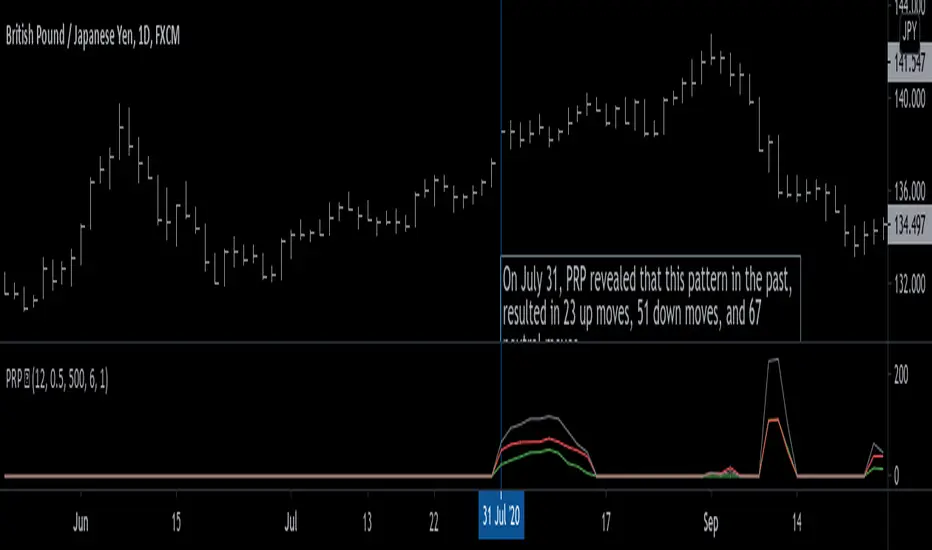
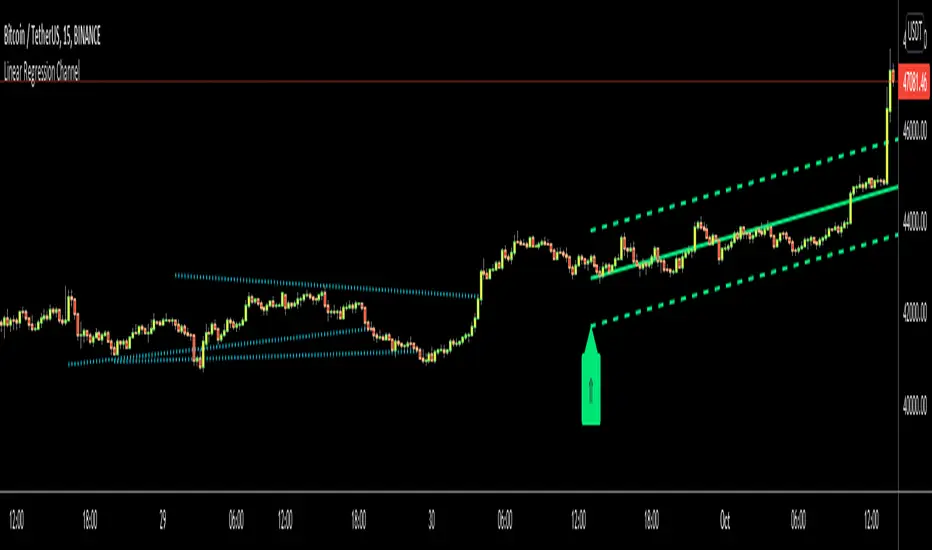
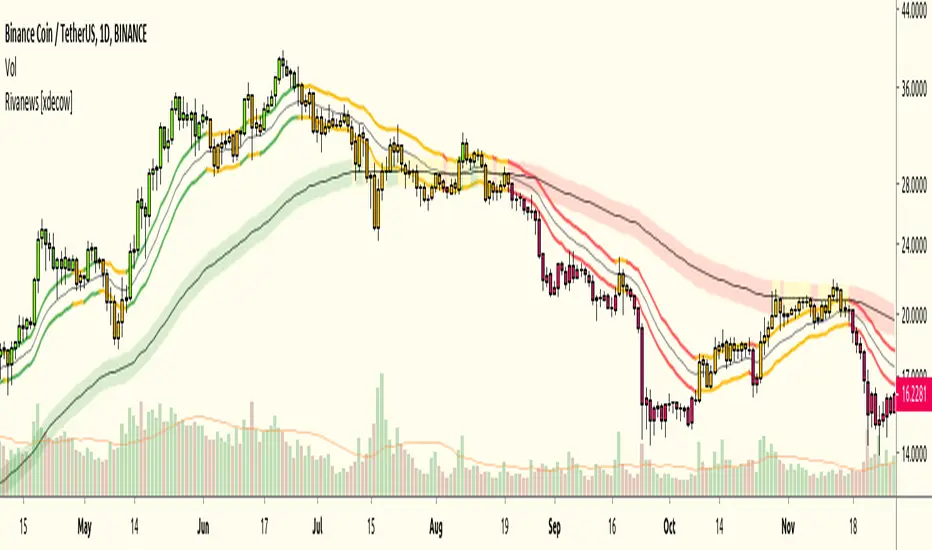
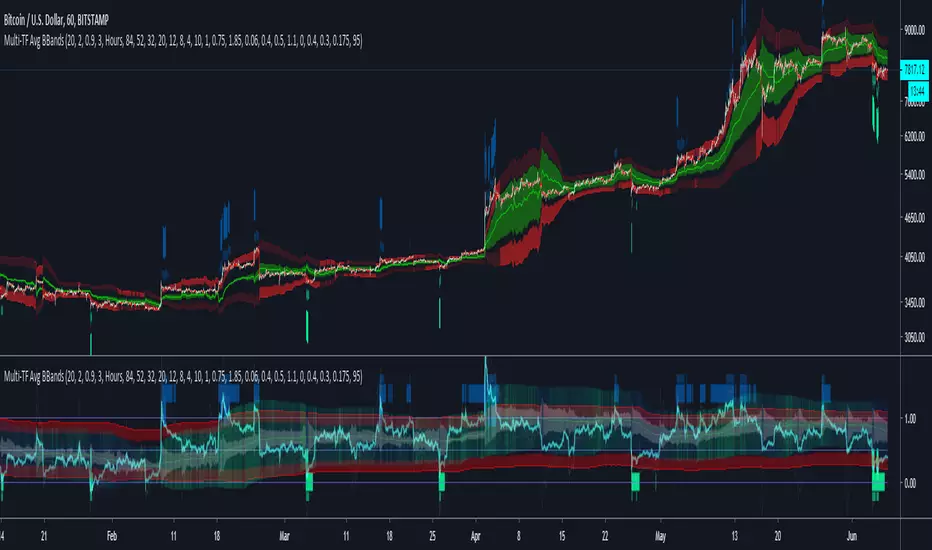
Multi-TF Avg BBandsMULTI-TF AVERAGE BBANDS - with signals (BETA)
Overall, it shows where the price has support and resistance, when it's breaking through, and when its relatively low/high based on the magic of standard deviation.
created by gamazama. send me a shout if u find this useful, or if you create something cool with it.
%BB: The price's position in the boilinger band is converted to a range from 0-1. The midpoint is at 0.5
Description of parameters
"BB:Window Length" is the standard BB size of 20 candles.
The indicator plots up to 7 different %BB's on different timescales
They are calculated independently of the timescale you are viewing eg 12h, 3d, 30m will be the same output
You can enter 7 timescales, eg. if you want to plot a range of bbands of the 12h up to 3d graphs, enter values between 0.5 and 3 (days) - you can also select 0 to disable and use less timescales, or select hours or minutes
Take note if you eg. double the main multiplier to 40, it is the same as doubling all your timescales
You can turn the transparency of the 7 x %BB's to 100 to hide them, their average is plotted as a thick cyan line
"Variance" is a measure of how much the 7 BB's agree, and changes colour based on the thresholds used for the strategy
---- TO START FROM SCRATCH ----
- set all except one to ZERO (0), set to 0, and everything after to 0.
Turn ON and right click -> move the indicator to a new pane - this will show you the internal workings of the indicator.
Then there is a few standard settings
"Source Smoothing Amount" applies a basic small sma on the price.
It should be turned down when viewing candles with less information, like 1D or more.
Standard BBands use an SMA, there one uses a blend between VWMA or SMA
Volume Weight settings, the same as SMA at 0, and the same as VWMA at 1
BB^2 is a bband drawn around the average %BB. Adjust the to change its window length
The BB^2 changes color when price moves up or down
Now its time to look at the parameters which affect the buy/sell signals
turn on "show signal range" - you see some red lines
buy and sell each have 4 settings
min/max variance will affect the brigtness of the signal range
range adjust will move the range up/down
mix BB^2 blends between a straight line (0) and BB^2's top or bottom (1)
a threshold of "variance" and "h/l points" is available to generate weaker signals.
these thresholds can be increased to show more weak signals
ONCE YOU ARE HAPPY WITH THE SIGNALS being generated, you can turn OFF , and move it back to the price pane
the indicator then draws a bband around the price to maps some info into the chart:
fills a colour between 0.5 & the mid BB^2 and converts relative to the price chart
draws a line in the middle of the midband.
controls how much these lines diverge from the price - adjust it to reduce noise
converts the signal range (red lines) to be relative to the price chart
if you like, you can adjust the sell & buy signals in the tab from and to and to match the picture. It messes with auto-scaling when moving back to though
enjoy, I hope that is easy enough to understand, still trying to make this more user-friendly.
If you want to send me some token of appreciation - btc: 33c2oiCW8Fnsy41Y8z2jAPzY8trnqr5cFu
I promise it will put a fat smile on my face
"Up down" için komut dosyalarını ara
Karobein OscillatorDeveloped by Emily Karobein, the Karobein oscillator is an oscillator that aim to rescale smoothed values with more reactivity in a range of (0,1)
Calculation
The scaling method is similar to the one used in a kalman filter for the kalman gain.
We first average the up/downs x, those calculations are similar to the ones used for calculating the average gain/loss in the relative strength index.
a = ema(src < src ? x : 0,length)
b = ema(src > src ? x : 0,length)
where src is a exponential moving average of length period and x is src/src in the standard calculations, but anything else can be used as long as x > 0 .
Then we rescale the results.
c = x/(x + b)
d = 2*(x/(x + c*a)) - 1
How To Use
It is better to use centerline-cross/breakouts/signal line.
In general when we use something smooth as input in oscillators, breakouts are better than reversals, you can see this with the stochastic and rsi.
So a simple approach could be buying when crossing over 0.8 and selling when crossing under 0.2.
Here is the balance of a strategy using those conditions, length = 50 .
20 trades have been mades since the 29 oct we made 341 pips with eur/usd, of course this backtest was made during good trends period,
this result is not representative of how the strategy work with other conditions/markets.
For any questions/suggestions feel free to contact me
Katana Gaps Bounty Hunter Pro (Show Gaps of All Types) by RRBKatana Gaps Bounty Hunter Pro (KGB Hunter Pro, Gap Exterminator) by RagingRocketBull 2018
Version 1.0
This indicator shows/counts/filters gaps on a chart.
There are several versions: Simple, Pro, Advanced and Zones. This is the Pro version. The Differences are listed below.
- Simple: shows/counts gaps, changes color based on gap dir (2 colors), filters out price gaps within session, large gaps, and high volume gaps
- Pro: +shows all types of gaps, multi color, pro filters (full/partial/overlapping time, price, large, candle, volume, doji, weekend gaps within delta ranges)
- Advanced: +session times mask, show/count gaps only for last N bars, +min/max/filled gaps stats, dark mode
- Zones: +shows gaps as dynamic horiz zones
KGB Hunter Pro Gap Exterminator focuses on showing you all possible types of gaps in multiple colors. Gap theory states that price tends to return and fill the gaps,
so you can use it to collect the bounty. You can apply any combination of complex filters to narrow down search results i.e., find only all:
- type 3 gaps up with allowed wick-candle overlapping of up to 10% and
- gap size larger than 200 and
- with at least one of the candles larger than 100 and
- volume change at least 40 and
- spanning less than 2 bar periods and
- excluding weekend gaps
Features:
- highlights gaps using barcolor and plotchar chars (8 colors x 2 dirs)
- supports all 3 types of gap overlapping: full gap (no overlapping), wick-wick and wick-body overlapping up to a specified % of candle body
- finds all types of gaps with pro filters for price, time, large, volume, timerange, candle size, doji gaps
- individual show/hide flags for each gap/char based on gap type
- can show/hide gaps/chars based on gap dir
- changes color of gaps/chars based on gap dir/type, multi color gap type combos
- displays chars above/below bar based on gap dir
- can show/hide weekend gaps
- counts all filtered gaps
Colors:
Basically There are 2 gap types (Price, Time) x 2 directions (Up, Down) x 2 modifiers (Large, Volume), Volume Gap is a separate class with its own modifiers, so more accurately:
- (Price, Time) x 2 directions (Up, Down) x Large modifier
- (Price Volume, Time Volume) x 2 directions (Up, Down) x Large modifier
using a total of 16+1 colors or 8+1 base colors + transparency modifier
depending on settings you can highlight gaps using any multi color combo from just 1 to all 16 colors (+1 gray color for weekends).
basic gap = 1 base color with normal transparency
price,time = 2 base colors (including basic gap) with normal transparency (+1 color)
* up,down dir = +2 new base colors with normal transparency (including 2 base colors), with a total of 2*2 = 4 price/time base colors (+2 colors)
* large = same 4 base colors with vivid transparency modifier (+4 colors)
* volume = +2 new base colors with normal transparency, a separate class (+2 colors)
* volume * up,down dir = +another 2 new base colors with normal transparency (including 2 volume base colors), with a total of 2*2 = 4 volume base colors (+2 colors)
* volume * large = 4 volume base colors with vivid transparency modifier (+4 colors)
weekend_gap = gray (+1 color)
doji gap, candle gap, timerange gap = no special color, inherits color from parent gap type
for more details, please see the Gap Color Hierarchy comments in code
_________________________________________________________________________
You can find the following gap related terminology in literature: full, partial, extreme, breakaway, runaway/continuation, common, exhaustion gaps.
There are no exact rules to distinguish between them, so this can't be implemented.
When defining a gap it all boils down to how do you plot a gap, which points between adjacent candles do you consider a gap. Different sources apply different methodology
but in practice only 3 types of gap overlapping can exist:
- full gap (no overlapping),
- partial (wick-wick overlapping) and
- extreme partial (wick-body overlapping up to a specified % of a candle body)
All these types are supported in this script. The only possible remaining option is candle-candle overlapping which is not a gap by definition.
Many other script specific subtypes are also supported. Please see description of each gap type below and comments in code.
General display modes
- gap has 3 possible overlapping modes: full gap (no overlapping), wick-wick overlapping, wick-candle overlapping up to a specified % of candle body size (for mode 3 only)
the remaining candle-candle overlapping implies not a gap by definition
full gap mode will find the least amount of gaps, wick-candle - the most
- gap can be either price or time, up or down, and shown above or below the candles (gap chars)
- by definition, a price gap is a smaller subset of a time gap, a gap within current session with a price gap and zero time lag between bars.
Therefore timerange filter is useless for price gaps, but can still be applied.
On the other hand, all price gap filters can be applied to time gaps without any distinction.
- gap can have multiple modifier subtypes: (price|time) * (up|down) * (large? + volume? + doji? + timerange? + weekend?)
i.e. price + large + volume + doji or time + large + volume + timerange + doji + weekend
- the gap is always counted only once no matter how many subtype modifiers it has
- if the gap does not satisfy any of the applied flags/filters it is not shown/counted (no gap bars/chars are shown)
- gap color can depend on a combo of gap type/dir and modifier subtypes or can be shown in a single base color
- char color can only depend on gap dir (not type/modifiers) or can be shown in a single base color
- char position can also depend on gap dir (above/below) the gap candle. Alternatively you can pin chars to the top/bottom of the screen in UI Styles.
- change_by_type = true - uses gap type base colors (2 colors + optional modifiers, up to 8 colors if volume and/or large filters are enabled)
- change_by_dir = true - uses gap dir base colors (2 colors + optional modifiers, up to 8 colors if volume and/or large filters are enabled)
- both change_by_type and change_by_dir = true - uses both gap type and dir base colors (4 colors + optional modifiers, up to 16 colors if volume and/or large filters are enabled)
- both change_by_type and change_by_dir = false - uses a single base gap color (1 color)
- don't need that much colors - disable filters
- highlight bars has priority over individual gap flags, when it is false all gaps are hidden regardless of their corresponding flag settings (does not affect dim weekend gaps)
- show chars has priority over individual gap char flags, when it is false all char flags are hidden regardless of their corresponding flag settings
- price gaps are only shown/counted when show_price_gaps flag is true. The large or volume filters can be used to narrow down results further.
- time gaps are only shown/counted when show_time_gaps flag is true. The large, volume, and timerange filters can be used to narrow down results further.
- doji gaps are only shown/counted when show_doji_gaps flag is true. The doji candle size and other filters can be used to narrow down results further.
- show weekend gaps = true and dim weekend gaps = false - shows/counts weekend gaps
- show weekend gaps = true and dim weekend gaps = true - dims weekend gaps, doesn't show/count weekwend gaps
- show/dim weekend gaps do just that - show the gap if it happens on a weekend, not all weekends
- large gaps are only shown/counted when the large filter is enabled != 0. positive values 5 (>= 5), negative -5 (<=5) are used to switch between <>
- volume gaps are only shown/counted when the volume filter is enabled != 0. positive values 5 (>= 5), negative -5 (<=5) are used to switch between <>
- timerange gaps are only shown/counted when the timerange filter is enabled != 0. positive values 5 (>= 5), negative -5 (<=5) are used to switch between <>
- candle size gaps are only shown/counted when the candle size filter is enabled != 0. positive values 5 (>= 5), negative -5 (<=5) are used to switch between <>
- candle size filter is the only filter with 2 arguments, use_and_for_delta to enable AND condition for the args (OR is the default)
Good Luck! Feel free to explore and learn from the code
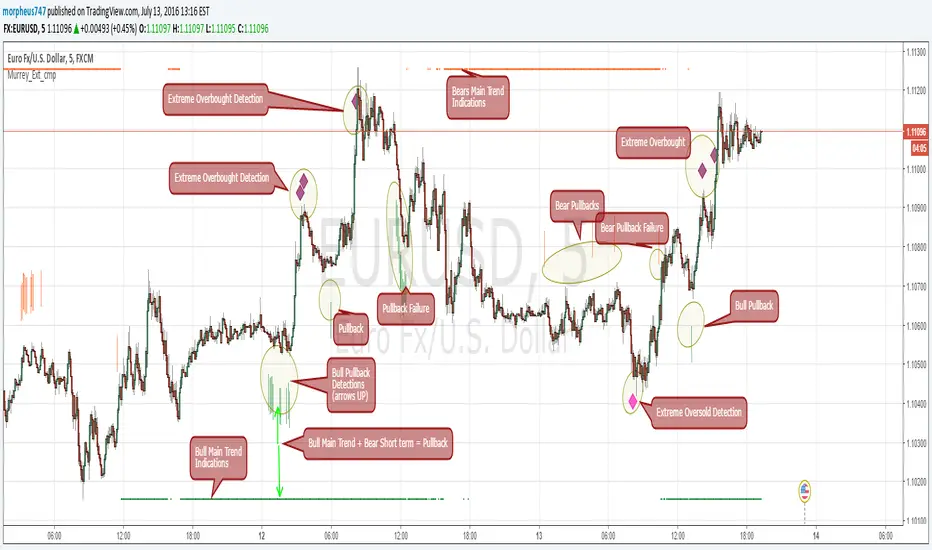
Murrey Math Extremes ComparatorHOW IT WORKS
Creates two murrey math oscillators (hidden) one with 256 length another with 32 length and compare each other.
WHAT GIVE ME THIS SCRIPT
The script can give you very valuable information:
- Main Trend
- Pullbacks detections
- Extreme overbought oversold prices alerts
- Divergences
- Any timeframe usage
REFERENCES OF USAGE
Main Trend Indications
****The main trend is indicated with green(bull) or red(bears) small "triangles" on the bottom(bull) or the top(bears) of the chart.
*****To detect the Bull/Bear major trend the script use 256 murrey, if > 0 (green) we are uptrend in other cases we are downtrend
Pullback detection
****The pullbacks are indicated with Green(bull) or red(bears) medium "Arrows"
*****To detect pullbacks the system compare the long term murrey with the short term murrey, if long term is Green(green triangles)
*****so we are in a main bull trend, if the short term murrey make an extreme low then the pullback is indicated
*****The same for the short pullback, if long term murrey is RED and we have an extreme green short term murrey we shot a red arrow
Extreme Overbught/Oversold
****The extreme OO is indicated with fancy diamonds
*****To detect the Extremes price movements we combine the two murrey, if Long Term Murrey is overbought and short term murrey too
*****Then the diamond show on the screen obove or below based on the extreme if overbought or oversold
Strategy Resume:
Triangles indicate Major Trend Up/Down
Arrows Indicate Continuation pullbacks
Diamonds Indicate Extreme Prices
GUIDE HOW TO IMAGES
How it's works Behind Scene
Kay_BBandsV3This is the 3rd version of Kay_BBands.
When +DI (Directional Index ) is above -DI , then Upper band will be visible and vice-versa.
This is when the ADX is above the threshold. 28 is the default in this version. I found its more appealing in 5M time frame.
BLUE - ADX under 10
GREEN - Uptrend, ADX over 10
RED - Downtrend, ADX over 10
Use it with another band with setting 20, 0.6 deviation. Prices keeping above or below the 2nd bands upper or lower bounds shows trending conditions.
I didn't know how to update the old script so published it again.
Changes - :
1) Updated default settings for the indicator
2) ADX setting are now DI (28), ADX (10), adx level to check is 10.
3) IMPORTANT one - When DI is up/down, lower/upper band will also have color (more visible that way.)
Play around the settings.. It really eliminates extra indicator checking visually... Please like if you think idea is good.
CM ATR PercentileRankCM ATR PercentileRank - Great For Showing Market Bottoms.
When Increased Volatility to the Downside Reaches Extreme Levels it’s Usually a Sign of a Market Bottom.
This Indicator Takes the ATR and uses a different LookBack Period to calculate the Percentile Rank of ATR Which is a Great Way To Calculate Volatility
Be Careful Of Using w/ Market Tops. Not As Reliable.
***Ability to Control ATR Period and set PercentileRank to Different Lookback Period
***Ability to Plot Histogram Just Showing Percentiles or Histogram Based on Up/Down Close
Fuchsia Lines = Greater Than 90th Percentile of Volatility based on ATR and LookBack Period.
Red Lines = Warning — 80-90th Percentile
Orange Lines = 70-80th Percentile
Other Useful Indicators
Williams Vix Fix
CM_RSI EMA Is a Great Filter for Williams Vix Fix
RSI Custom Screener (Equities)Adjustable RSI screener for up to 40 assets; can set your own levels ( up to 7 levels) for RSI and then toggle on/off whether the asset will show in the results pane by virtue of 'crossing up/down' across an RSI threshold. ie/ could be used to detect whether an asset looks prime for a small bounce or continuation etc.
RSI Custom Screener (Equities)screens up to 40 assets across different RSI levels that can all be adjusted - so can set your own thresholds and get results based on crossing up/down etc.
Short-Term Weekly Refuges (Shelters)## // Introduction // (Spanish Texts Below)
═══════════════════════════
Short-Term Weekly Refuges (Shelters) (WR or RS) is a structural analysis indicator designed to track price action during the current week. It combines a configurable ZigZag with Fibonacci retracements anchored to recent phases, using the Weekly Opening Price (W.O.P.) as a key reference level.
This indicator is optimized for 4H timeframe but also works on 1H and 15min charts.
## // Theoretical Foundation of the Indicator //
═════════════════════════════════════════════════
The WR (RS) indicator provides a structural framework for following price action during the current trading week.
The core concept: Recent ZigZag phases, combined with the Weekly Opening Price, create dynamic support and resistance levels that institutional traders often monitor and use for intraweek positioning. The indicator allows you to select which recent phase (1-10) serves as the Fibonacci anchor.
## // Indicator Objectives //
═════════════════════════════
1) Display a configurable ZigZag showing recent price structure with numbered phases (1 = most recent). Users should configure the ZigZag parameters based on whether they are analyzing a Major Degree Pattern (larger swings, less noise) or a Minor Degree Pattern (smaller swings, more detail), following standard Elliott Wave terminology. Configure the ZigZag to match the degree of your analysis: use higher Depth values for Major Degree Patterns, or lower values for Minor Degree Patterns.
2) Draw Fibonacci retracements on a user-selected phase, with two modes:
• "On ZigZag": Traditional Fibonacci on the selected phase.
• "Relative to W.O.P.": Fibonacci from phase anchor (i0) to Weekly Opening Price.
3) Show Weekly Opening Price lines as horizontal references, with the current week's line extended into the future.
4) Provide Pivot Up/Down markers for additional confirmation of local highs and lows.
5) Support multiple simultaneous indicator loads with visual identifier labels to distinguish between different analysis degrees (e.g., "Major Degree Pattern" vs "Minor Degree Pattern").
6) Optional Embedded Indicator: Enable Intraday Shelters (RID) - percentage-based support/resistance levels calculated from the Daily Opening Price, useful for 1H and 15min trading.
## // Key Features //
═════════════════════
• **Flexible ZigZag**: Adjustable Depth, Deviation, and Backstep parameters to adapt to any asset's volatility and degree pattern.
• **Phase Selection**: Choose from the 10 most recent phases for Fibonacci anchoring.
• **Dual Fibonacci Modes**: Trace on the ZigZag phase itself, or relative to the Weekly Opening Price.
• **New Age Color Palette**: Professional Fibonacci color scheme used by old school experienced traders.
• **Weekly Opening Price (W.O.P.)**: Historical weekly opens plus current week projection.
• **"Show Only W.O.P." Mode**: Isolate just the Weekly Opening Price line for cleaner charts on non-4H timeframes.
• **Optional Intraday Shelters (RID)**: 11 percentage levels (±0.382%, ±1%, ±1.5%, ±2%, ±2.5%) based on Daily Opening Price.
• **Multi-Load Support**: Visual identifier tags and Large Label for running multiple indicator instances simultaneously.
## // Recommended Workflow //
═════════════════════════════
1) Load the indicator on a 4H chart.
2) Adjust ZigZag parameters (Depth, Deviation) until the phases match your visual analysis of recent price structure.
3) Select the phase you want to use as Fibonacci anchor (typically Phase 2, 3 or higher).
4) Choose Fibonacci mode: "On ZigZag" for phase analysis, or "Relative to W.O.P." for analysis based on weekly opening price context.
5) Monitor how price interacts with the Fibonacci levels and Weekly Opening Price throughout the week.
6) Optionally enable RID for intraday high precision order placements on 1H or 15min charts.
## // Integration with Other Refuge Indicators //
═════════════════════════════════════════════════
This indicator WR (RS) is part of our complete refuge-based analysis ecosystem:
• LTR (RLP) (Long-Term Refuges): For automatic determination of the predominant phase of a ZigZag, which institutional investors choose as the basis for a Fibo whose levels calculate the projection for order placement over the following months and years.
• LTRS (RLPS) (Simple Long-Term Refuges): Simplified version of LTR in which the known coordinates of the predominant phases (obtained with the LTR indicator) of up to five assets are easily captured for permanent long-term operation.
• WR (RS) (Short-Term Weekly Refuges): For short-term tactical analysis (4H, 1H) based on chosen phases of a ZigZag that define Fibo levels effective during the near past week(s).
• IDR (RID) (Intra-Day Refuges): For daily operations relying on intraday levels on timeframes of 1H or less. Ideal for scalping traders.
By combining LTR, LTRS, WR and IDR, you obtain a multi-level framework that allows you to operate with clarity at any time horizon, from intraday positions to investments spanning months and years.
## // Additional Notes //
═════════════════════════
1) Default parameters are optimized for volatile assets (crypto, tech stocks). For forex or less volatile instruments, consider reducing Deviation to 3-8%.
2) The "Phase in Development" (dashed line) shows the tentative current ZigZag segment that may still change as new bars form.
3) Due to TradingView's English-only publication rules, the complete Spanish version of this indicator with all tooltips and documentation will be available soon in our GitHub repository: aj-poolom-maasewal.
4) Bug reports, improvement proposals for the ZigZag generator, pattern determination, or Fibo composition, etc., will be greatly appreciated and taken into account for a future version. Best regards and happy hunting.
════════════════════════════════════════════════════
════════════════════════════════════════════════════
TEXTO EN ESPANIOL (Sin acentos ni enies para compatibilidad con TradingView)
════════════════════════════════════════════════════
## // Introduccion //
═════════════════════
Refugios Semanales (RS o WR) es un indicador de analisis estructural diseniado para seguir la accion del precio durante la semana en curso. Combina un ZigZag configurable con retrocesos de Fibonacci anclados a fases recientes, utilizando el Precio de Apertura Semanal (P.A.S.) como nivel de referencia clave.
Este indicador esta optimizado para temporalidad de 4H pero tambien funciona en graficos de 1H y 15min.
## // Fundamento Teorico del Indicador //
═════════════════════════════════════════
El indicador RS (WR) proporciona un marco estructural para seguir la accion del precio durante la semana de operacion actual.
El concepto central: Las fases recientes del ZigZag, combinadas con el Precio de Apertura Semanal, crean niveles dinamicos de soporte y resistencia que los operadores institucionales frecuentemente monitorean para su posicionamiento intrasemanal. El indicador permite seleccionar cual fase reciente (1-10) sirve como ancla del Fibonacci.
## // Objetivos del Indicador //
════════════════════════════════
1) Mostrar un ZigZag configurable con la estructura de precios reciente y fases numeradas (1 = mas reciente). Los usuarios deben configurar los parametros del ZigZag segun esten analizando una Pauta de Grado Mayor (oscilaciones mas amplias, menos ruido) o una Pauta de Grado Menor (oscilaciones mas pequenias, mas detalle), siguiendo la terminologia estandar de Ondas de Elliott. Configure el ZigZag para que coincida con el grado de su analisis: use valores de Profundidad mas altos para Pautas de Grado Mayor, o valores mas bajos para Pautas de Grado Menor.
2) Dibujar retrocesos de Fibonacci en una fase seleccionada por el usuario, con dos modos:
• "En el ZigZag": Fibonacci tradicional sobre la fase seleccionada.
• "Respecto al P.A.S.": Fibonacci desde el ancla de la fase (i0) hasta el Precio de Apertura Semanal.
3) Mostrar lineas del Precio de Apertura Semanal como referencias horizontales, con la linea de la semana actual extendida hacia el futuro.
4) Proporcionar marcadores de Pivote Arriba/Abajo para confirmacion adicional de maximos y minimos locales.
5) Soportar multiples cargas simultaneas del indicador con etiquetas identificadoras visuales para distinguir entre diferentes grados de analisis (ej: "Pauta de Grado Mayor" vs "Pauta de Grado Menor").
6) Indicador Integrado Opcional: Habilitar Refugios Intra-Diarios (RID) - niveles de soporte/resistencia basados en porcentajes calculados desde el Precio de Apertura Diaria, util para operacion en 1H y 15min.
## // Caracteristicas Principales //
════════════════════════════════════
• **ZigZag Flexible**: Parametros ajustables de Profundidad, Desviacion y Retroceso para adaptarse a la volatilidad y grado de pauta de cualquier activo.
• **Seleccion de Fase**: Elija entre las 10 fases mas recientes para el anclaje del Fibonacci.
• **Modos Duales de Fibonacci**: Trace sobre la fase del ZigZag, o relativo al Precio de Apertura Semanal.
• **Paleta de Colores New Age**: Esquema de colores profesional de Fibonacci usado por operadores institucionales de la vieja escuela.
• **Precio de Apertura Semanal (P.A.S.)**: Aperturas semanales historicas mas proyeccion de la semana actual.
• **Modo "Solo P.A.S."**: Aisla unicamente la linea del Precio de Apertura Semanal para graficos mas limpios en temporalidades distintas a 4H.
• **Refugios Intra-Diarios Opcionales (RID)**: 11 niveles porcentuales (±0.382%, ±1%, ±1.5%, ±2%, ±2.5%) basados en el Precio de Apertura Diaria.
• **Soporte Multi-Carga**: Etiquetas identificadoras visuales y Rotulo Grande para ejecutar multiples instancias del indicador simultaneamente.
## // Flujo de Trabajo Recomendado //
═════════════════════════════════════
1) Cargue el indicador en un grafico de 4H.
2) Ajuste los parametros del ZigZag (Profundidad, Desviacion) hasta que las fases coincidan con su analisis visual de la estructura de precios reciente.
3) Seleccione la fase que desea usar como ancla del Fibonacci (tipicamente Fase 2, 3 o superior).
4) Elija el modo de Fibonacci: "En el ZigZag" para analisis de fase, o "Respecto al P.A.S." para analisis basado en el contexto del precio de apertura semanal.
5) Monitoree como el precio interactua con los niveles de Fibonacci y el Precio de Apertura Semanal durante la semana.
6) Opcionalmente habilite RID para precision intradiaria en graficos de 1H o 15min.
## // Integracion con Otros Indicadores de Refugios //
══════════════════════════════════════════
RS (WR) es parte de nuestro ecosistema completo de analisis basado en refugios:
• RLP (LTR) (Refugios de Largo Plazo): Para determinacion automatica de la fase preponderante de un ZigZag, que los inversionistas institucionales eligen como base para un Fibo cuyos niveles calculan la proyeccion para colocacion de ordenes durante los meses y anios siguientes.
• RLPS (LTRS) (Refugios de Largo Plazo Simplificado): Version simplificada de RLP en la cual las coordenadas conocidas de las fases preponderantes (obtenidas con el indicador RLP) de uno o hasta cinco activos se capturan facilmente para operacion permanente de largo plazo.
• RS (WR) (Refugios Semanales de Corto Plazo): Para analisis tactico de corto plazo (4H, 1H) basado en fases elegidas de un ZigZag que definen niveles Fibo efectivos durante la(s) semana(s) pasada(s) reciente(s).
• RID (IDR) (Refugios Intra-Diarios): Para operaciones diarias basadas en niveles intradiarios en temporalidades de 1H o menos. Ideal para operadores de scalping.
Al combinar RLP, RLPS, RS y RID, obtiene un marco multinivel que le permite operar con claridad en cualquier horizonte temporal, desde posiciones intradiarias hasta inversiones que abarcan meses y anios.
## // Notas Adicionales //
══════════════════════════
1) Los parametros por defecto estan optimizados para activos volatiles (cripto, acciones tecnologicas). Para forex o instrumentos menos volatiles, considere reducir la Desviacion a 3-8%.
2) La "Fase en Desarrollo" (linea discontinua) muestra el segmento tentativo actual del ZigZag que aun puede cambiar conforme se formen nuevas barras.
3) Debido a las reglas de publicacion de TradingView (solo ingles), la version completa en espaniol de este indicador con todos los tooltips y documentacion estara disponible proximamente en nuestro repositorio de GitHub: aj-poolom-maasewal.
4) El reporte de cualquier error encontrado, propuestas de mejoras al generador de Zigzags, determinacion de pautas, o composicion del Fibo, etc., seran ampliamente agradecidas y tomadas en cuenta para una proxima version. Saludos y buena caceria.
══════════════════════════════════════════════════
Institutional Confluence Nexus [Pro]The Problem: Noise vs. Signal
In the world of Smart Money Concepts (SMC), traders are often overwhelmed by "chart clutter." Standard indicators blindly highlight every Fair Value Gap (FVG) and Order Block (OB), regardless of whether the market is trending, ranging, or dead. This leads to analysis paralysis and low-probability entries.
The Institutional Confluence Nexus was built to solve this. It is not just a structure detector; it is a filtering engine. It uses a multi-factor model to hide low-probability zones and only highlight setups where Structure, Volume, and Momentum align.
The "Quantum" Integration
This script includes a built-in Quantum Regression Oscillator (QRO) engine running in the background. Unlike standard RSI or MACD which are reactive (lagging), the QRO uses Linear Regression mathematics to project momentum trajectory.
By combining institutional structure (Price Action) with quantum momentum (Math), this tool generates specific high-probability signals that only appear when price action and momentum are in perfect agreement.
How It Works & Visual Guide
This indicator is a complete trading suite. Here is what every symbol and color on your chart represents:
1. The "Nexus" Reversal Signals (Triangles)
Symbol : Green Triangle (Up) / Red Triangle (Down) labeled NEXUS.
Logic : These appear when price taps a valid Order Block that aligns with the macro trend (200 EMA).
Meaning : These are your primary "Trend Join" setups. They indicate that the institutional trend is resuming after a retracement.
2. High-Volume Breakouts (Bar Colors)
Symbol : Yellow Candles (Bullish) / Orange Candles (Bearish).
Logic : The script detects when a Break of Structure (BOS) occurs with Above-Average Volume.
Meaning : A breakout without volume is often a fakeout. These colored bars confirm that institutions are fueling the move. If you see a Yellow bar, it means "Smart Money" is buying the breakout.
3. QRO Confluence Signals (Labels)
These are the most advanced signals in the suite, combining Price Action with the internal Oscillator:
SNIPER (Blue/Purple) : The strongest reversal signal.
Condition : Price taps a Fair Value Gap + The internal QRO is at extreme volatility bands (Oversold/Overbought).
PB BUY / PB SELL (Aqua/Orange) : A trend continuation signal.
Condition : Price pulls back into a Fair Value Gap + The internal QRO confirms momentum is still healthy (above/below midline).
Note : These signals automatically draw a Red Line at the invalidation point (Stop Loss) to help you manage risk immediately.
4. The Confluence Dashboard
A non-intrusive Heads-Up Display (HUD) in the corner gives you a snapshot of the market state:
Trend : Is price above/below the 200 EMA?
Volume : Is current volume anomalous (High) or normal?
Structure : Are we breaking up, down, or ranging?
Settings & Customization
Smart Money Structure: Toggle FVGs and Order Blocks on/off.
FVG Extend: Control how far the gap "zones" extend to the right to see them as support/resistance zones.
Volume Filter: Enable/Disable the volume requirement (Keep enabled for higher strike rate).
Risk Management: Adjust the "Lookback" period for the automatic Stop Loss lines.
For Developers (Open Source)
I have kept the code open-source to foster learning in the Pine Script community. You can study how:
ta.linreg is used to smooth RSI data for the internal QRO engine.
box.new and line.new are used for dynamic drawing and extending zones.
var variables are used to store historical FVG levels to detect precise crossovers.
Disclaimer:
This tool is designed to assist with technical analysis and educational purposes. It does not guarantee profits. Always manage your risk and use this in conjunction with your own analysis.
Auto Fib Prev-Week Only for [4H+ Swing]Maps the previous week Fib levels:
Captures real supply & demand.
Defines where price was accepted or rejected.
Creates levels that current price must respect.
This indicator locks those levels in place and extends them forward.
What the levels represent:
- Previous Week High / Low
- Major boundaries. Breaks require momentum.
- 50% Level
- Balance point. Chop and indecision are common here.
- 61.8% Levels (Bull & Bear)
- Primary mean-reversion zones.
- Most reliable reaction levels.
- 78.6% Levels
- Last defense before trend failure or expansion.
- Extensions (1.214 → 2.618 / negatives)
- Exhaustion and target zones.
Working....
Dashboard (bottom-right)
- Nearest Sup / Res – Closest actionable level
- On Level? – Price is currently reacting at a level
- UpBreak% / DnBreak% – Probability of breaking vs rejecting
- Bias – Market posture (UP / DOWN / NEUTRAL)
- Tol – Sensitivity used for level detection
BLUF: Maps last week’s structure forward to identify high-probability reaction zones and whether price is more likely to revert or break.
ACHT EMA Cross Pullback Strategy with HTF Filter, RSI SignalsADVANCED INDICATOR FOR TRADING USING EMA CROSS PULLBACK STRATEGY
✨ MAIN FEATURES:
• 📈 Signals on pullback after EMA9/EMA20 crossover
• 🔍 Multi-level signal filtering
• 🕒 Multi-timeframe analysis (HTF filter)
• 🛡️ Trend indicator protection
• 📊 Compact information panel
🎯 MAIN SIGNALS:
1️⃣ EMA CROSS + PULLBACK
• EMA9 crosses EMA20 up/down
• Price pullback to EMA9 after crossover
• EMA200 filter (bullish/bearish trend)
2️⃣ RSI SIGNALS IN HTF ZONES
• RSI crossing its SMA
• Works only in HTF zones
• "First signal only" option in zone
🛡️ INDICATOR FILTERS:
• ✅ SuperTrend - main trend identification
• ✅ MACD - additional trend confirmation
• ✅ RSI - overbought/oversold filter
• ✅ HTF filter - higher timeframe analysis
⚙️ CUSTOMIZATION OPTIONS:
• Adjustable periods for all indicators
• Enable/disable each filter
• RSI level settings
• HTF filter timeframe selection
• Signal visualization options
📱 INFORMATION PANEL:
• Compact table with key metrics
• Status of all filters and indicators
• Visual HTF zone indicators
• Emoji for quick perception
🚨 ALERT SYSTEM:
• Alerts on main signals
• Alerts on HTF zone entry
• Alerts on RSI signals
• Customizable trigger conditions
📈 USAGE RECOMMENDATIONS:
1. Wait for EMA9 and EMA20 crossover
2. Look for price pullback to EMA9
3. Check all filter compliance
4. Ensure HTF zone presence
5. Use RSI signals as supplement
⚠️ RISKS AND LIMITATIONS:
• Indicator doesn't guarantee profit
• Always use stop-losses
• Test strategy on demo account
• Adapt parameters to your trading style
Market Regime: Squeeze Box + Trend DashboardMarket Regime: Squeeze Box + Trend Dashboard
Market Regime is a overlay designed to provide instant market context (trend vs consolidation) and highlight volatility compression (squeeze) setups before potential breakouts. Built with stock charts in mind, it focuses on clean visuals and practical decision support.
What this indicator shows:
1) Market Regime (TREND / RANGE / NEUTRAL)
The regime is detected using DMI/ADX with built-in confirmation to reduce flicker:
TREND : ADX stays above a threshold for N bars
RANGE : ADX stays below a threshold for N bars
NEUTRAL : neither trend nor range is confirmed
Trend direction is derived from DI+ vs DI- (UP / DOWN / MIXED).
2) Squeeze (BB inside KC)
A squeeze is detected when Bollinger Bands contract inside Keltner Channels (volatility compression).
SQZ = squeeze start
REL = squeeze release (the first bar *after* squeeze — technically correct)
3) Squeeze Box
The core feature: a box drawn from SQZ → REL , dynamically tracking the highest high / lowest low during the squeeze. This creates a clean visual range for the compression zone and helps frame breakout context.
4) EMA Ribbon with ADX-based intensity
Two EMAs (fast/slow) form a ribbon. The fill becomes more pronounced as ADX strength increases, making trend momentum easier to read at a glance.
5) Trend Dashboard (corner panel)
A compact dashboard summarizing key metrics:
REGIME, DIR, ADX (with normalized strength %)
SQUEEZE ON/OFF
Relative Volume (relVol + tier)
ATR% (14), EMA Slope%, GAP% (Open vs previous Close)
Customization / Settings
Fully configurable for different styles and markets:
ADX/DMI lengths and thresholds
BB/KC parameters (lengths and multipliers)
Relative Volume thresholds
Background mode: Off / Squeeze only / All regimes
Visual toggles: ribbon, squeeze box, markers, dashboard
History controls and limits for boxes/labels (clean chart + performance)
How to use (practical workflow)
Trend context : read REGIME + DIR and ribbon intensity (ADX strength).
Squeeze setup : when squeeze is active, the box defines the compression range (high/low).
Release : REL marks the first bar after squeeze ends (potential breakout/expansion context).
Notes
No look-ahead logic is used; calculations rely on current and historical bars only.
On realtime (still-forming) candles, values can change intrabar, normal behavior for indicators computed on the current bar.
Trading Disclaimer:
This indicator is provided for research and informational purposes only and does not constitute financial advice. Past performance is not indicative of future results. Use at your own risk. You are solely responsible for any trading decisions made using this script.
CVD - Cumulative Volume Delta Line - TheActulaSnailCVD – Cumulative Volume Delta Line
Author: TheActualSnail
Description:
The CVD (Cumulative Volume Delta) Line indicator calculates the net difference between buying and selling volume over time, helping traders visualize market pressure and order flow. Instead of bars, this version plots a smooth line representing cumulative delta, making it easier to spot trends, divergences, and resets.
Key Features:
Smooth CVD line showing cumulative volume delta.
Optional Moving Average for trend smoothing.
Configurable resets: daily, fixed higher timeframe, session start, or specific intraday time.
Zero line for reference.
Background highlights when the CVD resets.
Settings Explanation
1. CVD Resets (resetInput)
Defines when the CVD calculation resets to zero:
None: Never resets; the CVD accumulates indefinitely.
On a stepped higher timeframe: Resets at the start of each bar of a higher timeframe (e.g., daily on a 1H chart).
On a fixed higher timeframe: Resets at the start of a specific timeframe you choose (fixedTfInput).
At a fixed time: Resets at a specific hour and minute each day (hourInput and minuteInput). Works only on intraday charts.
At the beginning of the session: Resets at the start of each trading session (useful for markets with fixed open/close hours).
2. Fixed Higher Timeframe (fixedTfInput)
Used with fixed higher timeframe reset. Example: "D" = reset at the start of each day, "W" = reset at the start of each week.
3. Fixed Time (hourInput & minuteInput)
Used only with At a fixed time reset. Example: hour = 9, minute = 30 → CVD resets at 9:30 AM each day.
4. Volume Delta Calculation (vdCalcModeInput)
Volume delta: Cumulative delta = up volume − down volume.
Volume delta percent: Relative delta = (up − down) / total volume.
5. Visuals
CVD Line Colors: Green for positive delta, red for negative.
CVD MA: Optional moving average to smooth the line.
Zero Line: Reference for zero cumulative delta.
Background Color on Reset: Highlights bars when CVD resets.
Usage Notes
This indicator is for informational purposes only.
It does not provide buy or sell signals.
Always combine CVD analysis with other indicators, price action, and risk management.
Market conditions can change rapidly; use caution when making trading decisions.
Tip:
For intraday charts, consider using fixed time resets to see daily market pressure clearly.
For higher timeframe analysis, use daily or weekly resets.
Anchored OBV + A/DAnchored OBV + A/D is a single-pane indicator that allows On-Balance Volume (OBV) and Accumulation/Distribution (A/D) to be plotted together using a period-anchored approach.
OBV and A/D are cumulative by nature, which makes their full-history absolute values arbitrary and often incomparable when plotted side-by-side . This script addresses that limitation by anchoring each indicator to a user-defined period (daily, weekly, monthly, etc.) and plotting their relative change from that baseline rather than their raw values. The result is a comparison that preserves each indicator’s internal structure (trends, inflections, and divergences) while minimizing scale conflicts.
How it Works
At the start of each selected anchor period, the script records the current OBV and A/D values as baselines. All subsequent values are plotted as changes relative to those baselines:
- Percent mode measures the % change from the baseline.
- Delta mode measures the absolute change from the baseline.
Optional anchor markers and a zero line make it easy to see when resets occur and how each indicator behaves relative to the period’s starting point.
Advantages vs using OBV and A/D separately
- Direct visual comparison: Both indicators are on the same anchored scale, making relative movement immediately readable.
- Preserved analytical structure: Trends, inflections, and divergences remain intact; time-based shape is not distorted.
- Cleaner workflow: One indicator, one pane, and less chart clutter.
Interpretation
- Values above zero indicate net accumulation or positive volume pressure since the anchor.
- Values below zero indicate net distribution or negative volume pressure since the anchor.
- Trend confirmation: Rising price accompanied by rising anchored OBV and A/D suggests healthy participation.
- Price Divergence: Price making new highs or lows while one or both indicators fail to confirm can indicate weakening participation or a potential change in behavior.
- OBV vs A/D Interaction: When both move together, volume and close-location effects broadly agree. When they diverge, it highlights differences between net up/down volume (OBV) and intrabar accumulation/distribution (A/D).
Warnings!
- Percent mode can become visually unstable when baseline OBV or A/D values are near zero due to division effects inherent in percent-change calculations.
- It is not recommended to interpret structure across periods as each period is relative to a different baseline. Structure is not preserved across periods - only within each individual period.
Credits
This script is inspired by Multi-Ticker Anchored Candles (MTAC) by @SamRecio . MTAC's anchored-baseline concept and open-source nature provided an important conceptual foundation for adapting the same idea to OBV and A/D. Many thanks to @SamRecio for publishing his work openly.
ADR% / ATR / LoD dist. Table - V2ADR% / ATR / LoD Distance Table (V2) + ATR Range Lines is a simple “daily volatility dashboard” that helps you quickly judge how extended a stock is during the day and where “normal” daily movement zones sit relative to price.
It’s designed to help you answer:
“Has this stock already made most of its usual daily move?”
“Am I chasing too late?”
“Where are typical +ATR / −ATR stretch and pullback zones?”
What you’ll see
ADR% (Average Daily Range %)
Shows the stock’s typical daily travel (low → high) as a percentage.
Example: ADR% = 4% means the stock often swings ~4% in a normal day.
ATR (Average True Range)
Shows the stock’s typical daily movement in price units ($ / points).
Example: ATR = 2.50 means it often moves about $2.50 per day.
LoD dist. (Low of Day distance)
Shows how far price is from today’s Low of Day, measured relative to ATR (as a %).
Higher % = more extended away from the day’s low.
Optional: ATR Range Lines (added in this version)
You can enable two guide lines that extend to the right:
ATR Up Line = Price + ATR
ATR Down Line = Price − ATR
These act like volatility guardrails to visualize “typical daily stretch” and “typical pullback” zones.
ATR “Live vs Locked” option (important)
Lock ATR to last completed day (no intraday updates):
ON (Locked): Uses the last completed daily ATR (yesterday’s finished value).
✅ ATR stays constant all day while the market is live.
OFF (Live): ATR can update intraday as today’s daily candle expands.
✅ ATR may change during the session.
Either way, ATR is still based on your chosen ATR Length (lookback period). Locking simply prevents the ATR from drifting intraday.
How to use it (Kullamägi-style principle)
Kristjan Kullamägi’s momentum style emphasizes pressing strength when conditions are right, but also respecting extension and risk/reward. This tool helps you quantify that:
If ADR%/ATR suggests the stock already moved near its usual daily range, chasing can be lower reward.
The ATR lines help you visualize when price is in a “normal stretch zone” vs a better risk area.
Locking ATR gives you stable intraday reference levels for cleaner execution.
Tips
Use ADR% to understand whether there’s likely “room” left in today’s move.
Use LoD dist. to quickly gauge if price is already far from the day’s low (extended).
Use ATR Up/Down Lines as a simple volatility framework for entries, add-ons, and risk planning.
Keep Lock ATR ON if you prefer stable levels throughout the session.
Credits
Original indicator concept & script: ArmerSchlucker
ADR% formula credit: MikeC / TheScrutiniser and GlinckEastwoot
Modifications (V2): TradersPod
Added optional ATR Up/Down lines extending to the right
Added “Lock ATR to last completed day” option for stable intraday ATR reference
Kept the original logic and purpose intact
Regression SuperTrend WAIT🔹 DESCRIPTION
Regression SuperTrend + WAIT Panel is a trend-filter and market regime indicator designed to help traders identify the dominant market direction and avoid low-quality trading conditions.
This script combines:
Regression-based SuperTrend to define the primary trend (UP / DOWN)
A WAIT panel to filter tradable conditions
ADX, RSI, and CCI values displayed in a compact panel for quick context
Buy / Sell labels on the chart do not represent entry signals.
They only indicate trend regime changes.
🔹 How to Use
1. Trend Direction
Green line (UP) → Focus on LONG setups only
Red line (DOWN) → Focus on SHORT setups only
2. WAIT Panel
WAIT(L) → Long bias environment, wait for proper entries
WAIT(S) → Short bias environment, wait for proper entries
Low ADX → Weak or ranging market, trading is not recommended
RSI and CCI values are shown for momentum context only.
🔹 Best Practice
This indicator is not a standalone trading system.
It is intended to be used as:
A higher-timeframe bias tool
A trend and regime filter for lower-timeframe strategies or oscillators
Example:
Regression UP + WAIT(L) → Only look for long setups on lower timeframes
🔹 Who Is This For?
Trend-based traders
ICT / market structure traders
Traders who want to clearly identify when NOT to trade
⚠️ Disclaimer
This script is for educational purposes only.
It is not financial advice.
All trading decisions and risk management are the user’s responsibility.
Order Blocks Volume Delta 3D | Flux ChartsGENERAL OVERVIEW:
Order Blocks Volume Delta 3D by Flux Charts is a rule-based order block and volume delta visualization tool. It detects bullish and bearish order blocks using a profile-of-price approach: the indicator finds the most actively traded price area (Point of Control, or POC) between a swing high/low and the Break of Structure (BOS), then anchors the order block to the earliest still-valid candle that traded through that POC band. From there, it tracks all candles that continue to interact with that zone and overlays both 2D and 3D volume delta views directly inside the order block.
Unlike traditional order block tools that simply use candle bodies or wicks, this indicator is volume-aware. It lets you optionally pull volume from a lower timeframe feed (for example, using 1-minute data while watching a 5-minute chart) to build a much more accurate picture of how buyers and sellers actually traded inside the zone. This makes every block not just a price box, but a volume story: which side dominated, where, and by how much.
All order blocks printed by this indicator are confirmed: BOS and retests are evaluated strictly on closed candles. Nothing is drawn or alerted on partially formed bars, which helps avoid repaint-style flicker and keeps the signals clean and stable.
What is the theory behind the indicator?:
The core idea behind Order Blocks Volume Delta 3D is that not all price levels inside an order block are equal. Some prices are barely touched, while others act like magnets where candles repeatedly trade and heavy volume passes through.
The indicator first finds a swing high or swing low, waits for a clear Break of Structure (BOS), then scans the candles between the swing point and the BOS to find the price level that was touched the most. That level is treated as the POC.
From all candles in the swing-to-BOS range that interact with this POC band, the indicator looks for the earliest candle that is not already mitigated and uses that as the anchor candle for the order block:
The top of the block equals the anchor candle’s high (for a bearish OB) or the top of its wick zone.
The bottom equals the anchor candle’s low (for a bullish OB) or the bottom of its wick zone.
This “earliest valid POC-touching candle” rule makes it easier to visualize how price and volume developed from the very start of a meaningful zone, while ignoring POC touches that are already fully mitigated by the time the structure is confirmed. On top of that, each candle is split into bullish and bearish volume. If you choose a lower timeframe volume input, the tool aggregates lower timeframe candles into your chart timeframe, giving a more granular bull-versus-bear breakdown for each bar. The result is
an order block that not only shows where price moved but also which side pushed it, how aggressively, and how that balance shifted over time.
ORDER BLOCKS VOLUME DELTA 3D FEATURES:
The Order Blocks Volume Delta 3D indicator includes 4 main features:
1. Order Blocks
2. Volume Delta
3. 3D Visualization
4. Alerts
ORDER BLOCKS:
🔹What is an Order Block
An order block is a price zone where a clear displacement move began after liquidity was taken. It usually forms around the last consolidation or cluster of candles before price breaks structure with a strong move.
In this indicator, order blocks are defined as structured zones that:
Begin at the earliest unmitigated candle that interacted with the most-touched price level (POC) between swing and BOS.
Extend through the full wick range of that anchor candle.
Stretch forward in time, tracking how price continues to trade through, respect, retest, or invalidate the zone.
Are only printed once the BOS is fully confirmed on closed candles (confirmed order blocks only).
Example of bullish and bearish order blocks anchored at the earliest unmitigated candle in the POC zone:
🔹How are Order Blocks detected
The indicator uses a step-by-step, rules-based process to detect bullish and bearish order blocks. The logic is designed to match discretionary Smart Money concepts but with strict, repeatable rules.
Step 1: Detect swing highs and swing lows
Swing High: a candle whose high is higher than the highs of surrounding candles.
Swing Low: a candle whose low is lower than the lows of surrounding candles.
The Swing Length input controls how many candles are checked to the left and right.
Example of swing high and swing low detection:
Step 2: Confirm Break of Structure (BOS)
Once a swing is confirmed, the indicator waits for price to break past that swing:
Bullish BOS: price closes above a previous swing high.
Bearish BOS: price closes below a previous swing low.
To avoid “live” flicker, BOS logic is evaluated based on the previous closed candle. The order block is only confirmed once the BOS candle has fully closed and the next bar has opened. This is one of the reasons the script only shows confirmed, non-repainting order blocks.
Example of bullish BOS and bearish BOS:
Step 3: Build the POC range between swing and BOS
Between the swing candle and the BOS candle, the indicator:
Scans all candles in that range.
Tracks every price level touched using binning (POC bins).
Counts how many times each price band was touched by candle wicks.
The bin with the highest touch count becomes the POC band. This is where price traded most often, not necessarily where volume was highest.
Example of the POC band between swing and BOS.
Step 4 – Anchor the order block to the earliest valid POC candle
From all candles in the swing-to-BOS range, the indicator finds the earliest candle whose high/low overlaps the POC band and whose zone is not already mitigated. That candle becomes the anchor candle for the order block:
For a bearish OB, the block spans the anchor candle’s full wick range, with its top at the high.
For a bullish OB, the block spans the anchor candle’s full wick range, with its bottom at the low.
By requiring the anchor to be the earliest unmitigated interaction with POC, the script avoids building blocks from price action that has already been fully traded through and is less relevant.
Step 5: Extend and manage the order block
Once created, the block:
Extends to the right by a configurable number of candles (Extend Zones).
Continues until it is invalidated by wick or close, depending on the chosen method.
Can show retest labels when price revisits the zone after creation.
Is included or excluded from display depending on the Show Nearest and Hide Invalidated Zones settings.
Example of active and invalidated OB.
🔹Order Block Settings
◇ Swing Length
Swing Length controls how sensitive swing highs and lows are.
Lower Swing Length: Swings form more frequently, which leads to more frequent BOS events and order block formations.
Higher Swing Length: Only larger, more meaningful swings are detected, which leads to less frequent BOS events and less order block formations.
◇ Invalidation
Invalidation determines how an order block is considered “mitigated” or no longer valid.
Wick: For bullish OBs, if price wicks completely through the bottom of the zone, the order block is invalidated. For bearish OBs, if price wicks completely through the top, the order block is invalidated.
Close: For bullish OBs, the block is invalidated only when a candle closes below the bottom. For bearish OBs, it is invalidated only when a candle closes above the top.
Example of wick invalidation:
Example of close invalidation:
◇ Show Nearest
Show Nearest limits how many active order blocks are displayed based on proximity to current price. For example, a value of 2 will display only the two nearest bullish order blocks and two nearest bearish order blocks.
Chart with Show Nearest set to 3:
◇ Extend Zones
Extend Zones define how many candles forward each order block should project beyond the right most candle on the chart.
Chart with Extend Zones set to 10:
◇ Retest Labels
When enabled, the indicator prints labels on every clean retest of an active order block, as long as that block remains valid. Key points:
A retest label is only printed once the retest candle has fully closed – you always see confirmed retests, not intrabar tests.
Retest labels are positioned on the actual retest candle so you can visually see which bar interacted with the zone.
In addition, if multiple retests occur in quick succession, the indicator applies a built-in three-candle buffer between retests. That means only the first valid retest within each three-bar window is labeled (and can trigger an alert), helping to reduce clutter while still highlighting meaningful interactions with the zone.
Example of retest labels on bullish and bearish order blocks.
◇ Hide Invalidated Zones
Hide Invalidated Zones controls whether mitigated/invalidated blocks stay drawn.
Enabled: Only currently valid, unmitigated order blocks are shown (subject to Show Nearest)
Disabled: Both active and invalidated order blocks are displayed.
VOLUME DELTA:
🔹What is Volume Delta
Volume delta measures the difference between buying and selling volume. Instead of only showing “how much volume traded”, it separates volume into bullish and bearish components.
In this indicator:
Bullish volume = volume from candles (or lower timeframe candles) that closed higher.
Bearish volume = volume from candles that closed lower.
Delta % shows how dominant one side was compared to the total.
Example of bullish and bearish order blocks with volume delta and total volume.
🔹How is Volume Delta calculated?
The indicator uses a flexible, timeframe-aware volume engine.
1. Choose a Volume Delta Timeframe.
If the selected timeframe is equal to or higher than the chart timeframe, the indicator simply uses chart-volume per candle.
If the selected timeframe is lower than the chart timeframe (for example, 1‑minute volume on a 5‑minute chart), the indicator pulls all lower timeframe candles for each chart bar and sums them.
2. Split each bar into bull and bear volume.
For each contributing candle:
If close > open → its volume is added to bullish volume.
If close < open → its volume is added to bearish volume.
If close == open → its volume is split evenly between bullish and bearish.
3. Aggregate for each order block.
For each order block:
The indicator loops once from the swing candle to the BOS candle.
It records every candle that touches the POC band.
For each touching candle, it adds its bull and bear volumes (either directly from chart candles or from aggregated lower timeframe candles).
Total volume = bullish volume + bearish volume
Delta % = (bullish volume or bearish volume / total volume ) * 100, depending on which side is dominant.
🔹Volume Delta Settings:
◇ Display Style
Display Style controls how the volume delta is drawn inside each order block:
Horizontal:
Bullish and bearish fills extend horizontally from left to right.
The filled strip sits along the base of the block, with a bull vs bear gradient.
Vertical:
Bullish and bearish fills stretch vertically inside the zone.
The bullish percentage controls how much of the block is filled with the “dominant” color.
Example of Horizontal display style.
Example of Vertical display style.
◇ Volume Delta Timeframe
Volume Delta Timeframe tells the indicator whether to use chart volume or lower timeframe volume. When set to a lower timeframe, the indicator aggregates all lower timeframe candles that fall inside each chart bar, splitting their volume into bullish and bearish components before summing.
Using a lower timeframe:
Increases precision for how volume truly behaved inside each bar.
Helps reveal hidden absorption and aggressive flows that a higher timeframe candle might hide.
Example of volume delta based on chart timeframe.
Example of volume delta based on lower timeframe than chart(same OB as above)
◇ Display Total Volume
When enabled, the indicator prints the total volume for each order block as a label positioned inside the zone, near the bottom-right corner. This total is the sum of bullish and bearish volume used in the delta calculation and gives you a quick sense of how “heavy” the trading was in that block compared to others.
Example of total volume label inside multiple order blocks.
◇ Show Delta %
Show Delta % draws a small text label on the strip of the block that displays the dominant side’s percentage. For example, a bullish block might show “72%” if 72% of all volume inside that POC band came from bullish volume.
Example of Delta %:
3D VISUALIZATION:
The 3D Visualization feature turns each order block into a 3D plot.
🔹What the 3D Visualization does:
Wraps the order block with side faces and a top face to create a 3D bar effect.
Uses delta percentages to tilt the top face toward the dominant side.
Projects blocks into the future using Extend Zones, making the 3D blocks visually stand out.
🔹How it works:
The front face of the OB shows the standard 2D zone.
The side face extends forward in time based on the 3D depth setting.
The top face is angled depending on the Display Style and bull vs bear delta, making strong bullish blocks “rise” and strong bearish blocks “sink”.
🔹How the 3D depth setting affects visuals
Lower 3D depth:
Shorter side faces.
Subtle 3D effect.
Higher 3D depth:
Longer side faces projecting further into the future.
Stronger 3D effect that visually highlights key zones.
Example of lower 3D depth:
Example of higher 3D depth:
ALERTS:
The indicator supports alert conditions through TradingView’s AnyAlert() engine, allowing you to set alerts for the following:
New Bullish Order Block formed
New Bearish Order Block formed
Bullish OB Retest
Bearish OB Retest
Important alert behavior:
Order block alerts only fire when a new block is confirmed (after BOS closes and the next bar opens).
Retest alerts only fire when a retest candle has completely finished, matching the behavior of the visual retest labels.
IMPORTANT NOTES:
3D faces for order blocks are built using polylines. In some situations, especially when an order block’s starting point (its left edge) is beyond the chart’s left-most visible bar, the top 3D face may appear slightly irregular, skewed, or incomplete. This is purely a drawing limitation related to how the chart engine handles off-screen polyline points. Once the starting point of that order block comes into view (by zooming out or scrolling back), the 3D top face corrects itself and the visual becomes fully consistent. This issue affects only the 3D top face drawing, not the actual order-block box itself. The underlying zone, prices, and volume calculations remain accurate at all times.
If all conditions are met to create a new order block but the resulting zone would overlap an existing active order block, the new block is intentionally not created. A built-in guard prevents overlapping active zones to keep the structure clean and easier to interpret.
3D face drawing is implemented using an adaptive polyline method, which can be relatively calculation-heavy on certain symbols, timeframes, or chart histories. In some cases this may lead to calculation timeout error from TradingView.
UNIQUENESS:
This indicator is unique because it:
Anchors each order block to the earliest unmitigated candle that traded through the most-touched POC band between swing and BOS, rather than a generic “last up/down candle” or a random volume spike.
Builds a dedicated volume engine that can pull either chart timeframe volume or aggregated lower timeframe volume, then splits it into bull and bear components.
Adds 3D visualization on top of standard zones, turning each OB into a visually weighted slab rather than a flat rectangle.
Provides clean toggles (Show Nearest, Hide Invalidated Zones, Extend Zones, Display Style, Delta %, and total volume labels) so you can dial the indicator from extremely minimal to fully detailed, depending on your trading workflow.
Combined, these features make the indicator not just an order block plotter, but a complete volume‑informed structure tool tailored for traders who want to see where price actually traded and whether bulls or bears truly controlled the move inside each order block.
WoAlgo Premium v3.0
WoAlgo Premium v3.0 - Smart Money Analysis
Overview
** WoAlgo Premium v3.0 ** is an advanced technical analysis indicator designed for educational purposes. This tool combines Smart Money Concepts with multi-factor confluence analysis to help traders identify potential market opportunities across multiple timeframes.
The indicator integrates market structure analysis, order flow concepts, and technical momentum indicators into a comprehensive dashboard system. It is designed to assist traders in understanding institutional trading patterns and market dynamics through visual analysis tools.
### What It Does
This indicator provides:
**1. Smart Money Concepts Analysis**
- Market structure identification (Break of Structure and Change of Character patterns)
- Order block detection with volume confirmation
- Fair value gap recognition
- Liquidity zone mapping (equal highs and lows)
- Premium and discount zone calculations
**2. Multi-Factor Confluence Scoring**
The indicator calculates a proprietary confluence score (0-100) based on five key components:
- Price action analysis (30% weight)
- Volume confirmation (20% weight)
- Momentum indicators (25% weight)
- Trend strength measurement (15% weight)
- Money flow analysis (10% weight)
**3. Multi-Timeframe Analysis**
- Scans 5 different timeframes (5M, 15M, 1H, 4H, Daily)
- Calculates alignment percentage across timeframes
- Displays trend and structure status for each period
**4. Visual Dashboard System**
- Comprehensive main dashboard with 13 metrics
- Real-time screener table with 10 data columns
- Multi-timeframe scanner
- Performance tracking panel
### How It Works
**Market Structure Detection**
The indicator identifies key structural changes in price action:
- **BOS (Break of Structure)**: Indicates trend continuation when price breaks previous swing points
- **CHoCH (Change of Character)**: Signals potential trend reversal when market structure shifts
**Order Block Identification**
Order blocks are detected when:
- Significant volume appears at swing points
- Price shows strong directional movement from these levels
- Enhanced detection with extreme volume confirmation (OB++ markers)
**Fair Value Gap Recognition**
Gaps between candles are identified when:
- Price leaves inefficiencies in the market
- Three consecutive candles create a gap pattern
- Gap size exceeds minimum threshold based on ATR
**Confluence Calculation**
The system evaluates multiple technical factors:
1. **Price Position**: Relative to moving averages (EMA 20, 50, 200)
2. **Volume Analysis**: Standard deviation-based volume spikes
3. **Momentum**: RSI, MACD, Stochastic indicators
4. **Trend Strength**: ADX measurements
5. **Money Flow**: MFI indicator readings
Each factor contributes weighted points to create an overall confluence score that helps assess signal strength.
### Signal Types
**Confirmation Signals (▲ / ▼)**
Generated when:
- EMA crossovers occur (20/50 cross)
- Volume confirmation is present
- RSI is in appropriate zone
- Confluence score exceeds 50%
**Strong Signals (▲+ / ▼+)**
Higher-confidence signals requiring:
- Confluence score above 70%
- Extreme volume confirmation
- Alignment with 200 EMA trend
- MACD confirmation
- Bullish or bearish market structure
**Contrarian Signals (⚡)**
Reversal indicators appearing when:
- RSI reaches extreme levels (<30 or >70)
- Stochastic shows oversold/overbought conditions
- Price touches Bollinger Band extremes
- Potential divergence patterns emerge
**Reversal Zones**
Visual boxes highlighting areas where:
- Market structure conflicts with momentum
- High probability of directional change
- Key support/resistance levels interact
**Smart Trail**
Dynamic stop-loss indicator that:
- Adjusts based on ATR (Average True Range)
- Follows trend direction
- Updates automatically as price moves
- Provides risk management reference points
### Dashboard Components
**Main Dashboard (13 Metrics)**
1. **Confluence Score**: Current bull/bear percentage (0-100)
2. **Market Regime**: Trend classification (Strong Up/Down, Range, Squeeze)
3. **Signal Status**: Active buy/sell signal indication
4. **Structure State**: Current market structure (Bullish/Bearish/Neutral)
5. **Trend Strength**: ADX-based measurement
6. **RSI Level**: Momentum indicator with overbought/oversold zones
7. **MACD Direction**: Trend momentum confirmation
8. **Money Flow Index**: Smart money sentiment
9. **Volume Status**: Current volume relative to average
10. **Volatility Rating**: ATR percentage measurement
11. **ATR Value**: Average true range for position sizing
12. **MTF Alignment**: Multi-timeframe agreement percentage
**Screener Table (10 Columns)**
- Current symbol and timeframe
- Real-time price and percentage change
- Quality rating (star system)
- Active signal type
- Smart trail status
- Market structure state
- MACD direction
- Trend strength percentage
- Bollinger Band squeeze detection
**MTF Scanner (5 Timeframes)**
Displays for each timeframe:
- Trend direction indicator
- Market structure classification
- Visual confirmation with color coding
**Performance Metrics**
- Win rate percentage (simplified calculation)
- Total signals generated
- Current confluence score
- MTF alignment status
- Volatility level
### Settings and Customization
**Preset Styles**
Choose from predefined configurations:
- **Conservative**: Fewer, higher-quality signals
- **Moderate**: Balanced approach (recommended)
- **Aggressive**: More frequent signals
- **Scalper**: Short-term focused
- **Swing**: Longer-term oriented
- **Custom**: Full manual control
**Smart Money Concepts Controls**
- Toggle each feature independently
- Adjust swing length (3-50 periods)
- Enable/disable internal structure
- Control order block display
- Manage breaker block visibility
- Show/hide fair value gaps
- Display liquidity zones
- Premium/discount zone visualization
**Signal Configuration**
- Enable/disable confirmation signals
- Toggle strong signal markers
- Control contrarian signal display
- Show/hide reversal zones
- Smart trail activation
- Sensitivity adjustment (5-50)
**Visual Customization**
- Moving average display options
- MA period adjustments (Fast: 20, Slow: 50, Trend: 200)
- Support/resistance line toggle
- Dynamic S/R lookback period
- Candle coloring based on trend
- Color scheme customization
- Dashboard size options (Small/Normal/Large)
- Position placement (4 corners)
### How to Use
**Step 1: Initial Setup**
1. Add indicator to chart
2. Select appropriate preset or use Custom
3. Adjust timeframe to match trading style
4. Configure dashboard visibility preferences
**Step 2: Analysis Workflow**
1. Check MTF Scanner for timeframe alignment
2. Review Main Dashboard confluence score
3. Observe Market Regime classification
4. Identify active signals on chart
5. Confirm with Smart Money Concepts (order blocks, FVG, structure)
**Step 3: Trade Consideration**
Strong signals (▲+ / ▼+) require:
- Confluence score >70%
- MTF alignment >60%
- Confirmation from multiple dashboard metrics
- Support from Smart Money Concepts
- Appropriate volume levels
**Step 4: Risk Management**
- Use Smart Trail as dynamic stop-loss reference
- Consider ATR for position sizing
- Monitor volatility rating
- Respect support/resistance levels
- Combine with personal risk parameters
### Best Practices
**For Scalping (1M-5M timeframes)**
- Use Scalper preset
- Reduce swing length to 5-7
- Focus on strong signals only
- Monitor MTF alignment closely
- Quick entries near order blocks
**For Intraday Trading (15M-1H timeframes)**
- Use Moderate preset (recommended)
- Default swing length (10)
- Combine confirmation and strong signals
- Check MTF scanner before entry
- Use fair value gaps for entries
**For Swing Trading (4H-D timeframes)**
- Use Swing preset
- Increase swing length to 15-20
- Focus on strong signals
- Require high MTF alignment
- Patient approach with major structure levels
### Technical Specifications
**Indicators Used**
- Exponential Moving Averages (20, 50, 200)
- Hull Moving Average
- Relative Strength Index (14)
- MACD (12, 26, 9)
- Money Flow Index (14)
- Stochastic Oscillator (14, 3)
- ADX / DMI (14)
- Bollinger Bands (20, 2)
- ATR (14)
- Volume Analysis (SMA 20 with standard deviation)
**Calculation Methods**
- Swing detection using pivot high/low functions
- Volume confirmation via statistical analysis
- Multi-factor scoring with weighted components
- Dynamic support/resistance using highest/lowest functions
- Real-time MTF data via security() function
### Limitations and Considerations
**Important Notes**
1. This indicator is designed for educational and analytical purposes only
2. Historical performance does not guarantee future results
3. Signals should be confirmed with additional analysis
4. Market conditions vary and affect indicator performance
5. Not all signals will be profitable
6. Risk management is essential for all trading
**Known Limitations**
- Confluence scoring is algorithmic and not predictive
- MTF analysis requires sufficient historical data
- Effectiveness varies across different market conditions
- Sideways markets may produce conflicting signals
- High volatility can affect signal reliability
- Backtesting results shown are simplified calculations
**Not Suitable For**
- Automated trading without human oversight
- Sole basis for trading decisions
- Guaranteed profit expectations
- Inexperienced traders without proper education
- Trading without risk management plans
### Market Applicability
**Effective On**
- Trending markets (any direction)
- Clear structure formation periods
- Liquid instruments with consistent volume
- Multiple asset classes (forex, stocks, crypto, commodities)
- Various timeframes with appropriate settings
**Less Effective During**
- Extended ranging/choppy conditions
- Extremely low volume periods
- Major news events causing gaps
- Early market open with high spread
- Illiquid instruments with erratic price action
### Risk Disclaimer
**⚠️ IMPORTANT NOTICE**
This indicator is provided for **educational and informational purposes only**. It does not constitute financial advice, investment recommendations, or trading signals.
**Key Risk Factors:**
- Trading financial instruments involves substantial risk of loss
- Past performance does not indicate future results
- No indicator can predict market movements with certainty
- Users should conduct independent research and analysis
- Professional financial advice should be sought when appropriate
- Risk management and position sizing are critical to successful trading
- Users are solely responsible for their trading decisions
**Responsible Usage:**
- Combine with comprehensive market analysis
- Use appropriate stop-loss orders
- Never risk more than you can afford to lose
- Maintain realistic expectations
- Continue education on technical analysis principles
- Test thoroughly on demo accounts before live trading
- Understand all indicator features before using
### Educational Resources
**Understanding Smart Money Concepts**
Smart Money Concepts analyze how institutional traders and large market participants operate. Key principles include:
- Institutional order flow patterns
- Market structure changes
- Liquidity manipulation
- Supply and demand imbalances
- Order block formations
**Multi-Timeframe Analysis Theory**
Analyzing multiple timeframes helps:
- Identify overall market direction
- Improve entry timing
- Confirm trend strength
- Recognize consolidation periods
- Reduce conflicting signals
**Confluence Trading Approach**
Using multiple confirming factors:
- Increases signal reliability
- Reduces false signals
- Provides conviction for trades
- Helps with position sizing
- Improves risk-reward ratios
### Version History
**v3.0 (Current)**
- Multi-factor confluence scoring system
- Complete Smart Money Concepts implementation
- Real-time multi-timeframe analysis
- Four professional dashboard panels
- Enhanced order block detection
- Breaker block identification
- Premium/discount zone calculations
- Smart trail stop-loss system
- Customizable preset configurations
- Performance tracking metrics
**Development Philosophy**
This indicator was developed with focus on:
- Educational value for traders
- Transparent methodology
- Comprehensive feature set
- User-friendly interface
- Flexible customization options
### Technical Support
**For Questions About:**
- Indicator functionality
- Parameter optimization
- Signal interpretation
- Dashboard metrics
- Best practice recommendations
Please use TradingView's comment section below. The developer monitors comments and provides assistance to users learning to use the indicator effectively.
### Acknowledgments
This indicator implements concepts from:
- Smart Money Concepts trading methodology
- Multi-timeframe analysis techniques
- Technical indicator theory
- Market structure analysis principles
- Institutional order flow concepts
All implementations are original code and calculations based on established technical analysis principles.
---
## ADDITIONAL INFORMATION SECTION
**Category**: Indicators
**Type**: Market Structure / Multi-Timeframe Analysis
**Complexity**: Intermediate to Advanced
**Open Source**: Code visible for transparency and education
**Pine Script Version**: v6
**Chart Overlay**: Yes
**Maximum Objects**: 500 boxes, 500 lines, 500 labels
Zenith MACD Evolution [JOAT]
Zenith MACD Evolution - Volatility-Normalized Momentum Oscillator
Introduction and Purpose
Zenith MACD Evolution is an open-source oscillator indicator that takes the classic MACD and normalizes it by ATR (Average True Range) to create consistent overbought/oversold levels across different market conditions. The core problem this indicator solves is that traditional MACD values are incomparable across different volatility regimes. A MACD reading of 50 might be extreme in a quiet market but normal in a volatile one.
This indicator addresses that by dividing MACD by ATR and scaling to a consistent range, allowing traders to use fixed overbought/oversold levels that work across all market conditions.
Why ATR Normalization Works
Traditional MACD problems:
- Values vary wildly based on price and volatility
- No consistent overbought/oversold levels
- Hard to compare across different instruments
- Extreme readings in one period may be normal in another
ATR-normalized MACD (Zenith) solves these:
- Values scaled to consistent range
- Fixed overbought/oversold levels work across all conditions
- Comparable across different instruments
- Extreme readings are truly extreme regardless of volatility
How the Normalization Works
// Classic MACD
= ta.macd(close, fastLength, slowLength, signalLength)
// ATR for normalization
float atrValue = ta.atr(atrNormLength)
// Volatility-Normalized MACD
float zenithMACD = atrValue != 0 ? (histLine / atrValue) * 100 : 0
float zenithSignal = ta.ema(zenithMACD, signalLength)
The result is a MACD that typically ranges from -200 to +200, with consistent levels:
- Above +150 = Overbought
- Below -150 = Oversold
- Above +200 = Extreme overbought
- Below -200 = Extreme oversold
Signal Types
Zero Cross Up/Down - Zenith crosses zero line (trend change)
Overbought/Oversold Entry - Zenith enters extreme zones
Overbought/Oversold Exit - Zenith leaves extreme zones (potential reversal)
Momentum Shift - Histogram direction changes (early warning)
Divergence - Price makes new high/low but Zenith does not
Histogram Coloring
The histogram uses four colors to show momentum state:
- Strong Bull (Teal) - Positive and rising
- Weak Bull (Light Teal) - Positive but falling
- Strong Bear (Red) - Negative and falling
- Weak Bear (Light Red) - Negative but rising
This helps identify momentum shifts before crossovers occur.
Dashboard Information
Zenith - Current normalized MACD value with signal line
Zone - Current zone (EXTREME OB/OVERBOUGHT/NORMAL/OVERSOLD/EXTREME OS)
Momentum - Direction (RISING/FALLING/FLAT)
Histogram - Current histogram value
ATR Norm - Current ATR value used for normalization
Classic - Traditional MACD value for reference
How to Use This Indicator
For Mean-Reversion:
1. Wait for Zenith to reach extreme zones (+200/-200)
2. Look for momentum shift (histogram color change)
3. Enter counter-trend when exiting extreme zone
For Trend Following:
1. Enter long on zero cross up
2. Enter short on zero cross down
3. Use histogram color to gauge momentum strength
For Divergence Trading:
1. Watch for DIV labels (price vs Zenith divergence)
2. Bullish divergence at support = potential long
3. Bearish divergence at resistance = potential short
Input Parameters
Fast/Slow/Signal Length (12/26/9) - Standard MACD parameters
ATR Normalization Period (26) - Period for ATR calculation
Overbought/Oversold Zone (150/-150) - Zone thresholds
Extreme Level (200) - Extreme threshold
Show Classic MACD Lines (false) - Toggle traditional lines
Show Divergence Detection (true) - Toggle divergence signals
Divergence Lookback (14) - Bars to scan for divergence
Timeframe Recommendations
All timeframes work due to normalization
Higher timeframes provide smoother signals
Normalization makes cross-timeframe comparison meaningful
Limitations
ATR normalization adds slight lag
Divergence detection is simplified
Extreme zones can persist in strong trends
Works best when combined with price action analysis
Open-Source and Disclaimer
This script is published as open-source under the Mozilla Public License 2.0 for educational purposes.
This indicator does not constitute financial advice. Momentum analysis does not guarantee profitable trades. Always use proper risk management.
- Made with passion by officialjackofalltrades
Vortex Trend Matrix [JOAT]Vortex Trend Matrix - Multi-Factor Trend Confluence System
Introduction and Purpose
Vortex Trend Matrix is an open-source overlay indicator that combines Ichimoku-style equilibrium analysis with the Vortex Indicator to create a comprehensive trend confluence system. The core problem this indicator solves is that single trend indicators often give conflicting signals. Price might be above a moving average but momentum might be weakening.
This indicator addresses that by combining five different trend factors into a single composite score, making it easy to identify when multiple factors align for high-probability trend trades.
Why These Components Work Together
Each component measures trend from a different perspective:
1. Cloud Position - Price above/below the equilibrium cloud indicates overall trend bias. The cloud acts as dynamic support/resistance.
2. TK Relationship - Conversion line vs Base line (like Tenkan/Kijun in Ichimoku). Conversion above Base = bullish momentum.
3. Lagging Span - Current price compared to price N bars ago. Confirms whether current move has follow-through.
4. Vortex Indicator - VI+ vs VI- measures directional movement strength. Provides momentum confirmation.
5. Base Direction - Whether the base line is rising or falling. Indicates medium-term trend direction.
How the Trend Score Works
float trendScore = 0.0
// Cloud position (+2/-2)
trendScore += aboveCloud ? 2.0 : belowCloud ? -2.0 : 0.0
// TK relationship (+1/-1)
trendScore += conversionLine > baseLine ? 1.0 : conversionLine < baseLine ? -1.0 : 0.0
// Lagging span (+1/-1)
trendScore += laggingBull ? 1.0 : laggingBear ? -1.0 : 0.0
// Vortex (+1.5/-1.5)
trendScore += vortexBull ? 1.5 : vortexBear ? -1.5 : 0.0
// Base direction (+0.5/-0.5)
trendScore += baseDirection * 0.5
Score ranges from approximately -6 to +6:
- +4 or higher = STRONG BULL
- +2 to +4 = BULL
- -2 to +2 = NEUTRAL
- -4 to -2 = BEAR
- -4 or lower = STRONG BEAR
Signal Types
TK Cross Up/Down - Conversion line crosses Base line (momentum shift)
Base Direction Change - Base line changes direction (medium-term shift)
Strong Bull/Bear Trend - Score reaches +4/-4 (high confluence)
Dashboard Information
Trend - Overall status with composite score
Cloud - Price position (ABOVE/BELOW/INSIDE)
TK Cross - Conversion vs Base relationship
Lagging - Lagging span bias
Vortex - VI+/VI- relationship
VI+/VI- - Individual vortex values
How to Use This Indicator
For Trend Following:
1. Enter long when trend score reaches +4 or higher (STRONG BULL)
2. Enter short when trend score reaches -4 or lower (STRONG BEAR)
3. Use cloud as dynamic support/resistance for entries
For Momentum Timing:
1. Watch for TK Cross signals for entry timing
2. Base direction changes indicate medium-term shifts
3. Vortex confirmation adds conviction
For Risk Management:
1. Exit when trend score drops to neutral
2. Use cloud edges as stop-loss references
3. Reduce position when score weakens
Input Parameters
Conversion Period (9) - Fast equilibrium line
Base Period (26) - Slow equilibrium line
Lead Span Period (52) - Cloud projection period
Displacement (26) - Cloud and lagging span offset
Vortex Period (14) - Period for vortex calculation
VI+ Strength (1.10) - Threshold for strong bullish vortex
VI- Strength (0.90) - Threshold for strong bearish vortex
Timeframe Recommendations
4H-Daily: Best for equilibrium-based analysis
1H: Good for intraday trend following
Lower timeframes may require adjusted periods
Limitations
Equilibrium calculations have inherent lag
Cloud displacement means signals are delayed
Works best in trending markets
May whipsaw in ranging conditions
Open-Source and Disclaimer
This script is published as open-source under the Mozilla Public License 2.0 for educational purposes.
This indicator does not constitute financial advice. Trend analysis does not guarantee profitable trades. Always use proper risk management.
- Made with passion by officialjackofalltrades
RSI Bollinger Band and Trend Confidence Gauge█ RSI BB Trend Confidence Gauge (ADX/DMI)
Cross-checks Trend + Momentum + Strength in real time so you focus on VERIFIED conditions.
Most of us have been there: you see a move starting, you jump in, and the market immediately turns into a sideways chop-fest that eats your stop. This is a simple dashboard that forces the market to “prove itself” before you put capital at risk.
█ WHAT MAKES THIS DIFFERENT?
Most indicators are “Yes/No” machines — they fire signals anytime two lines cross, even when the market is weak, noisy, or range-bound. This script is a Quality Filter .
Instead of asking “Is price moving?”, it asks: “Is the move backed by alignment, momentum, and strength?”
VERIFIED only appears when all three agree, helping you avoid low-probability chop and “no-trade” consolidation zones.
█ QUICK START
• UP + VERIFIED + High ➔ “A-Tier” state; favor pullbacks or continuation.
• DOWN + VERIFIED + High ➔ bearish control is real; avoid dip-buying.
• Conflict (gray) ➔ indicators disagree; step aside and wait for alignment.
• R or B markers ➔ overextension warnings; don’t chase into extremes.
█ THE "ANTI-CHOP" ENGINE
Trading is probability, not guessing. This script uses a 3-stage logic gate to verify conditions:
• 1) The Trend (HMA 13/34): Hull Moving Averages provide a fast, smooth regime filter. If fast vs. slow isn’t clean, the regime isn’t ready.
• 2) The Fuel (RSI 50): A trend without momentum is a trap. UP/DOWN only prints when RSI confirms.
• 3) The Proof (ADX/DMI): Final gate. VERIFIED only appears when ADX ≥ 22 and DI+/DI- agrees . If strength isn’t there, stay sidelined.
█ VISUALS YOU'LL ACTUALLY USE
• Live Dashboard: Bottom-center snapshot of RSI, Direction (UP/DOWN/Conflict), VERIFIED status, and Confidence tier (Low/Med/High).
• Exhaustion Markers: Orange icons when price is extended: "R" for RSI extremes and "B" for Bollinger Band hits. These flag caution zones.
• Trend Ribbon: Zero-line bias bar: Lime (bullish), Red (bearish), Gray (conflict/chop risk).
█ SETTINGS
• Action ADX Minimum (default 22): Want stricter verification? Try 25. Want earlier signals? Try 20 (higher noise/risk).
Disclaimer: Educational tool only. Not financial advice. Past performance does not guarantee future results. Always use strict risk management.
Volume Delta Waterfall (Anchored, No Reset)What this helps you see (simple)
Delta (ΔV) = UpVolume − DownVolume (estimated from lower timeframe).
Positive ΔV ⇒ more “up” volume inside the bar → buying pressure dominates.
Negative ΔV ⇒ more “down” volume inside the bar → selling pressure dominates.
The waterfall is cumulative delta: each bar starts at the previous bar close and moves up/down by ΔV.
Divergence idea:
Bearish divergence: price makes Higher High, but cumulative delta at that swing makes Lower High → rally is weaker (often exhaustion / distribution).
Bullish divergence: price makes Lower Low, but cumulative delta at that swing makes Higher Low → selloff is weaker (often absorption / reversal risk).